To remove the “Theme by Puro” link from the footer, turn off Footer Attribution Link in Ultra Premium or Puro Premium. Polestar needs a one line snippet, or Polestar Premium, which removes the link for you.
Remove the Credit in Ultra or the Puro Theme
- Go to AppearanceCustomizeTheme SettingsFooter.
- Clear the Footer Attribution Link checkbox. It is on by default.
- Click Publish.
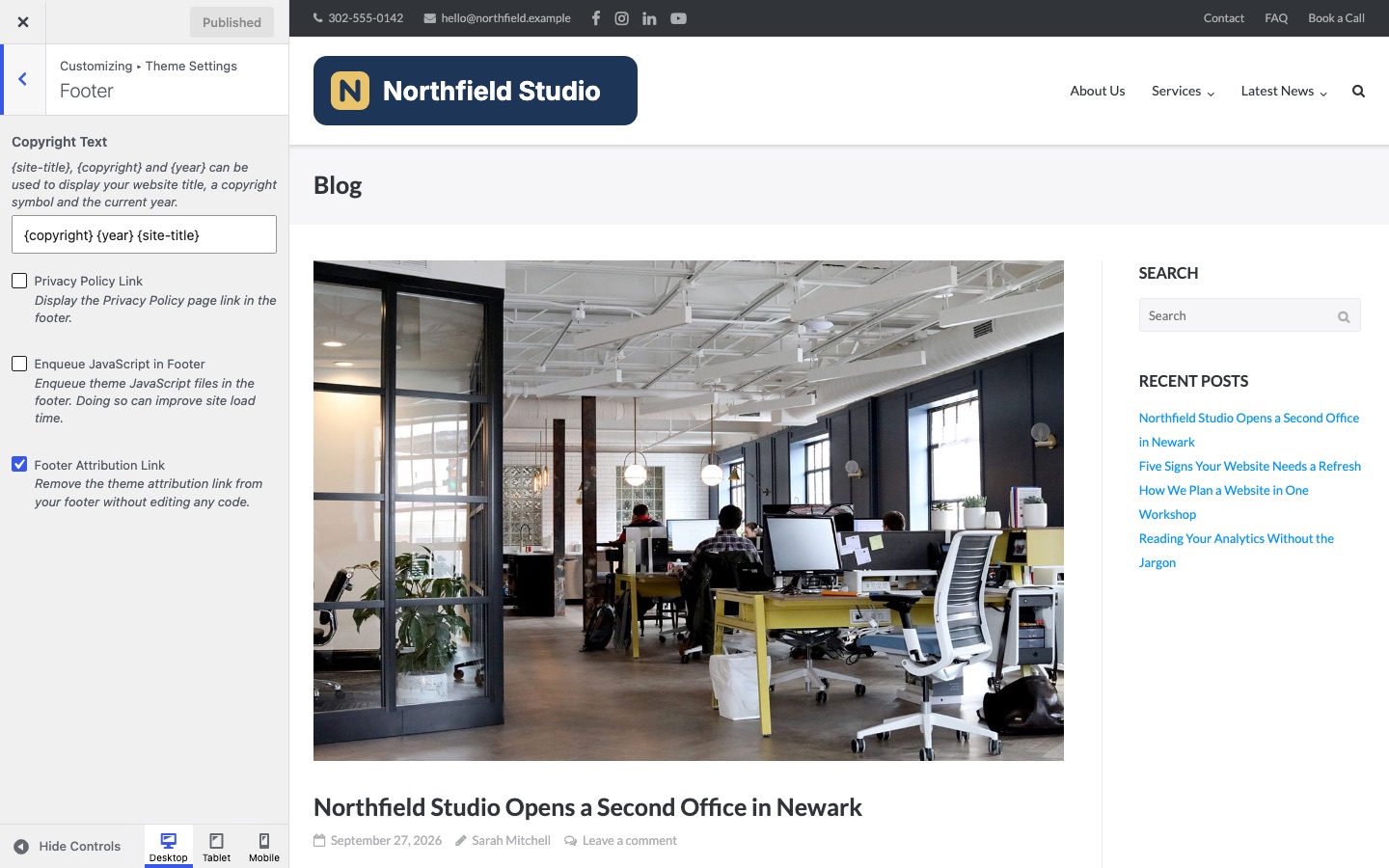
Free Ultra and the free Puro theme show this setting with an Available in Premium button. The link stays until you upgrade. Until then, you can hide it with CSS. Add this at AppearanceCustomizeAdditional CSS:
.site-info > span:last-child {
	display: none;
}Remove the Credit in Polestar
Polestar Premium removes the link when you activate the plugin. It has no setting.
Free Polestar shows the link in the bottom bar. A filter removes it. Add this line to the functions.php file of a child theme. You can also run it with the Code Snippets plugin.
add_filter( 'polestar_footer_credits', '__return_empty_string' );
Change the Footer Text or Add a Link
The footer text is a Customizer setting in all three themes. It accepts basic HTML, so you can add a link.
- Polestar: AppearanceCustomizeTheme SettingsFooter, Footer Text. The default is
Copyright © {year} {sitename}.The tags are{sitename}and{year}. - Ultra: AppearanceCustomizeTheme SettingsFooter, Copyright Text. The default is
{copyright} {year} {site-title}. - Puro theme: AppearanceCustomizeTheme SettingsFooter, Footer Copyright Text. The default is
Copyright {year}. It accepts the same tags as Ultra.
A link needs the full address, including https://. A link without it points to a page on your own site.
© {year} <a href="https://example.com/">Northfield Studio</a>{site-title}. That tag does not work in Polestar. Use {sitename}.Remove a Footer Credit in Any Theme
This works on any WordPress theme, including themes that are not from Puro.
- Check the theme settings first. Open Appearance > Customize and look for a footer or credit option. A setting removes the credit from the page. A CSS rule only hides it.
- In a block theme, open Appearance > Editor, select the credit block in the footer and delete it.
- To hide the credit with CSS, open your site and scroll to the credit. Right-click the element and choose Inspect. In Safari, turn on the Develop menu first and choose Inspect Element.
- Read the
classof the credit or of the element around it. Common classes aresite-infoandcredits. - Add the rule at AppearanceCustomizeAdditional CSS in a classic theme. A block theme has no Customize screen. There, go to AppearanceEditor, click Styles, open the three-dot More menu and choose Additional CSS. Click Publish or Save. Use the class that you found:
.site-footer .site-info {
	display: none;
}
A rule such as footer a[href*="wordpress.org"] hides only a link to wordpress.org and leaves the text around it. Many themes put the copyright text in the same element as the credit. Check the footer after you save.