To translate Polestar, Ultra or the Puro theme (or any other theme, see the last section), set your language at Settings > General > Site Language. WordPress then loads a ready translation if one exists. To change a translation or add your own, use the free Loco Translate plugin.
Use a Ready Translation
- Go to SettingsGeneral and choose your language in Site Language. Click Save Changes.
- Go to DashboardUpdates and click Update Translations.
The free themes are on WordPress.org. Their translations come from translate.wordpress.org. Anyone with a WordPress.org account can suggest translations there. Ultra also ships German, Swedish and Danish files in its languages folder.
Change or Add a Translation With Loco Translate
- Install and activate Loco Translate.
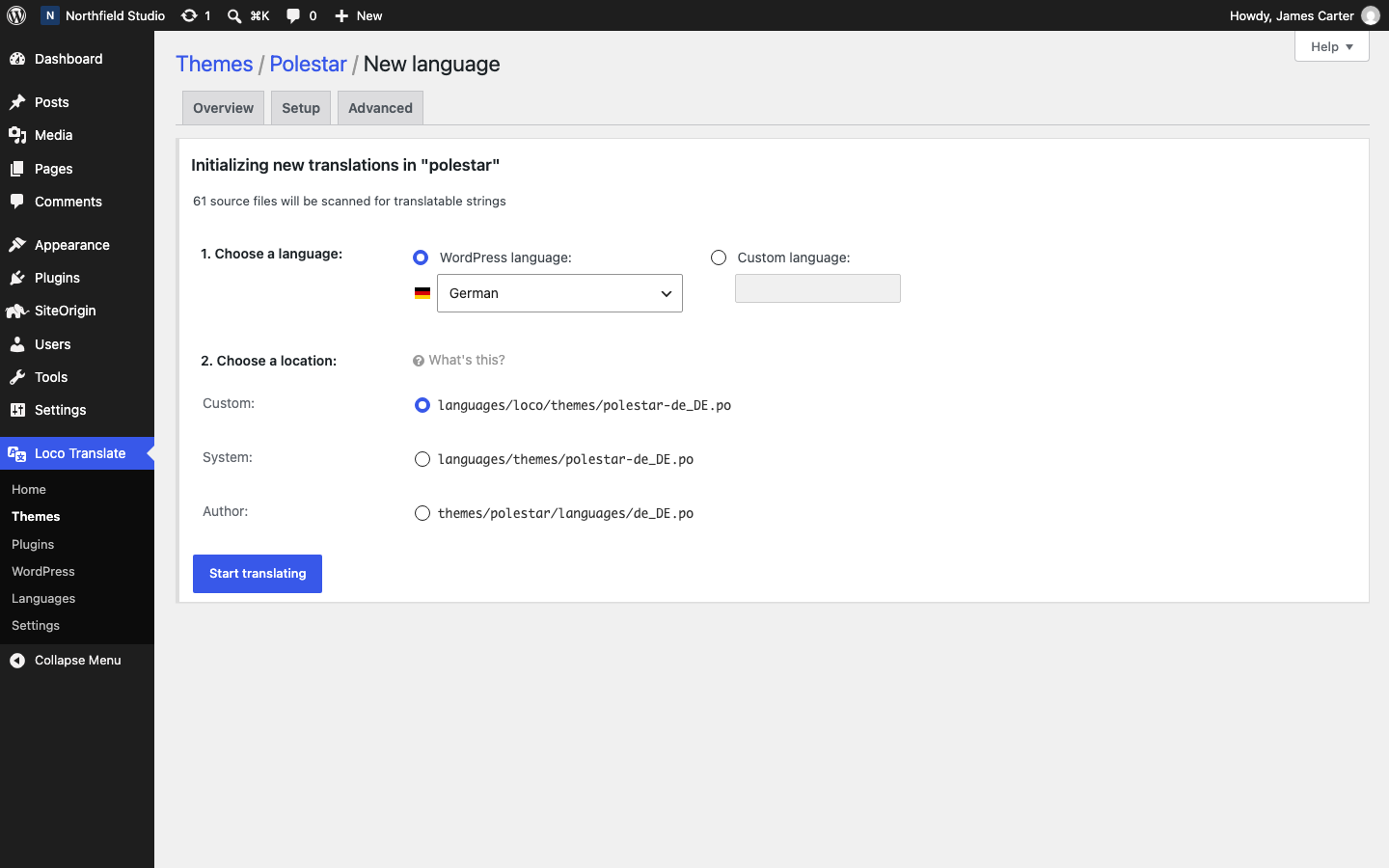
- Go to Loco Translate > Themes and click your theme.
- Polestar does not include a translation template (a
.potfile). If Loco shows Create template, click it and follow the steps first. - Click New language and choose your language in Choose a language.
- In Choose a location, select Custom. Loco saves the file in
wp-content/languages/loco/themes/, where a theme update does not remove it. - Click Start translating, translate the strings and click Save.
Set Site Language in Settings > General to the same language. The translation shows on the next page load.
Translate Polestar Premium Strings
Polestar Premium is a plugin. Most of its strings use the text domain polestar-premium. Translate them in Loco Translate > Plugins, in the same way as a theme.
Text You Type in the Customizer
Text that you type in the Customizer, such as the footer text, is one saved value. A translation file does not change it. Type that text in the language of your site.
One Site in Several Languages
To show a site in several languages at once, use a multilingual plugin such as Polylang. Follow the documentation of that plugin to set it up.
Translate Any Theme
- Go to SettingsGeneral and choose your language in Site Language. WordPress loads a ready translation for any theme from WordPress.org that has one.
- Install and activate Loco Translate. It works with any theme or plugin that loads a text domain.
- Go to Loco Translate > Themes, click the theme and click New language. Save the file in the Custom location so that a theme update does not remove it.
A theme that does not load a text domain has no strings to translate. Ask its author, or use a multilingual plugin such as Polylang.