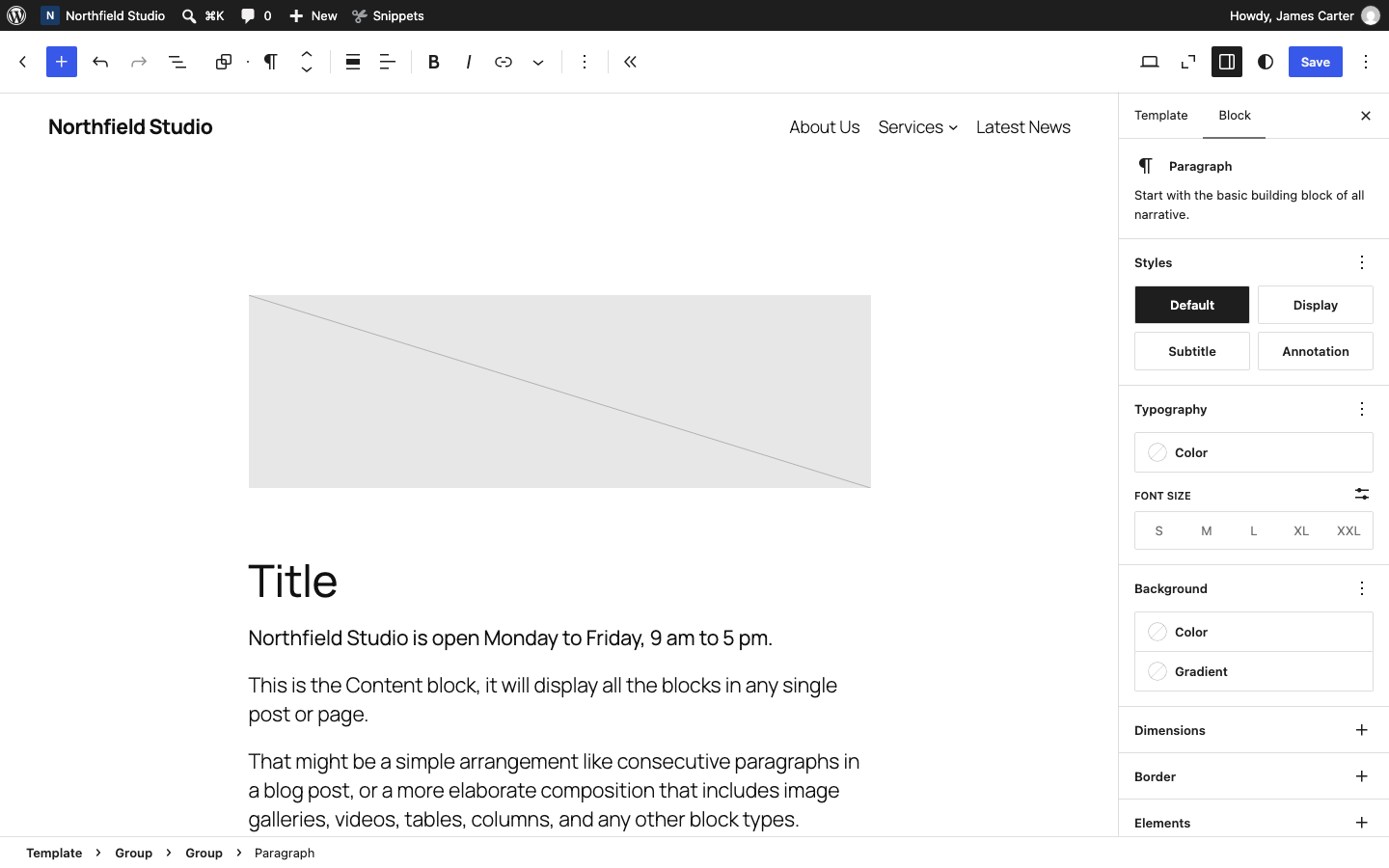
To add formatted text to a widget area, use the core Text widget and its Visual tab, or the Paragraph block on the block-based Widgets screen.
The menus you see depend on your theme. A classic theme shows Customize in Appearance, plus Menus and Widgets when it supports them. A block theme shows Editor in place of Customize, unless the theme or a plugin adds Customizer settings. It shows Menus or Widgets only when it supports them. Polestar, Ultra and the Puro theme are classic themes.
By default, Polestar, Ultra and the Puro theme use the classic Widgets screen, where you drag widgets into widget areas. Other themes can use the block-based Widgets screen. Both are covered below.
Classic Admin Screens
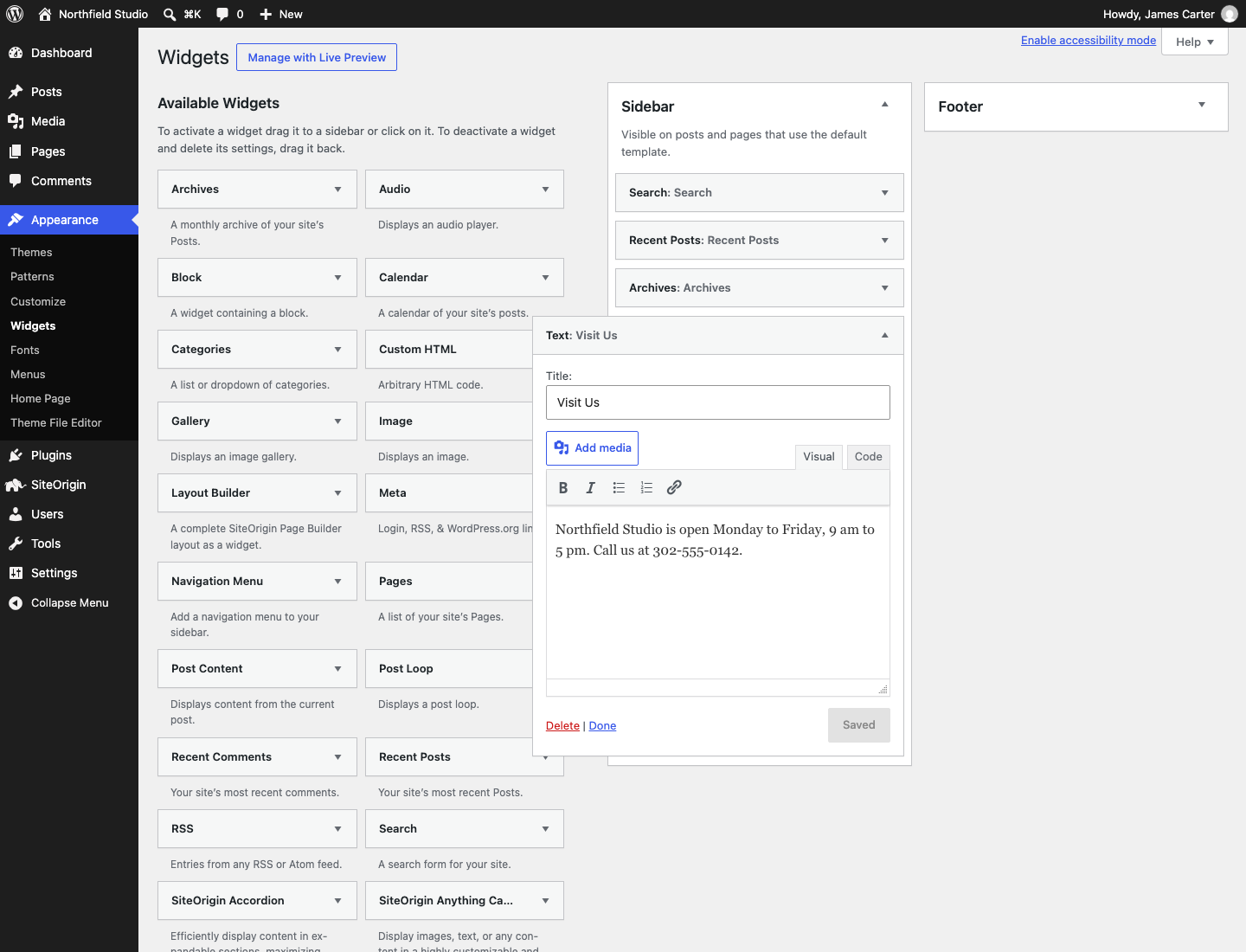
Classic Widgets Screen
- Go to AppearanceWidgets.
- Drag the Text widget from Available Widgets into a widget area.
- Open the Visual tab, type your text and use the toolbar to format it.
- Click Save.
Block-Based Widgets Screen
- Go to AppearanceWidgets and open a widget area.
- Click the Block Inserter button and add a Paragraph block.
- Type your text. Use the toolbar above the block to format it.
- Click Update.
Page Builder
Page Builder by SiteOrigin uses the Editor Widget from the SiteOrigin Widgets Bundle. Turn it on at PluginsSiteOrigin Widgets. Then search for SiteOrigin Editor in Add Widget.
Customizer
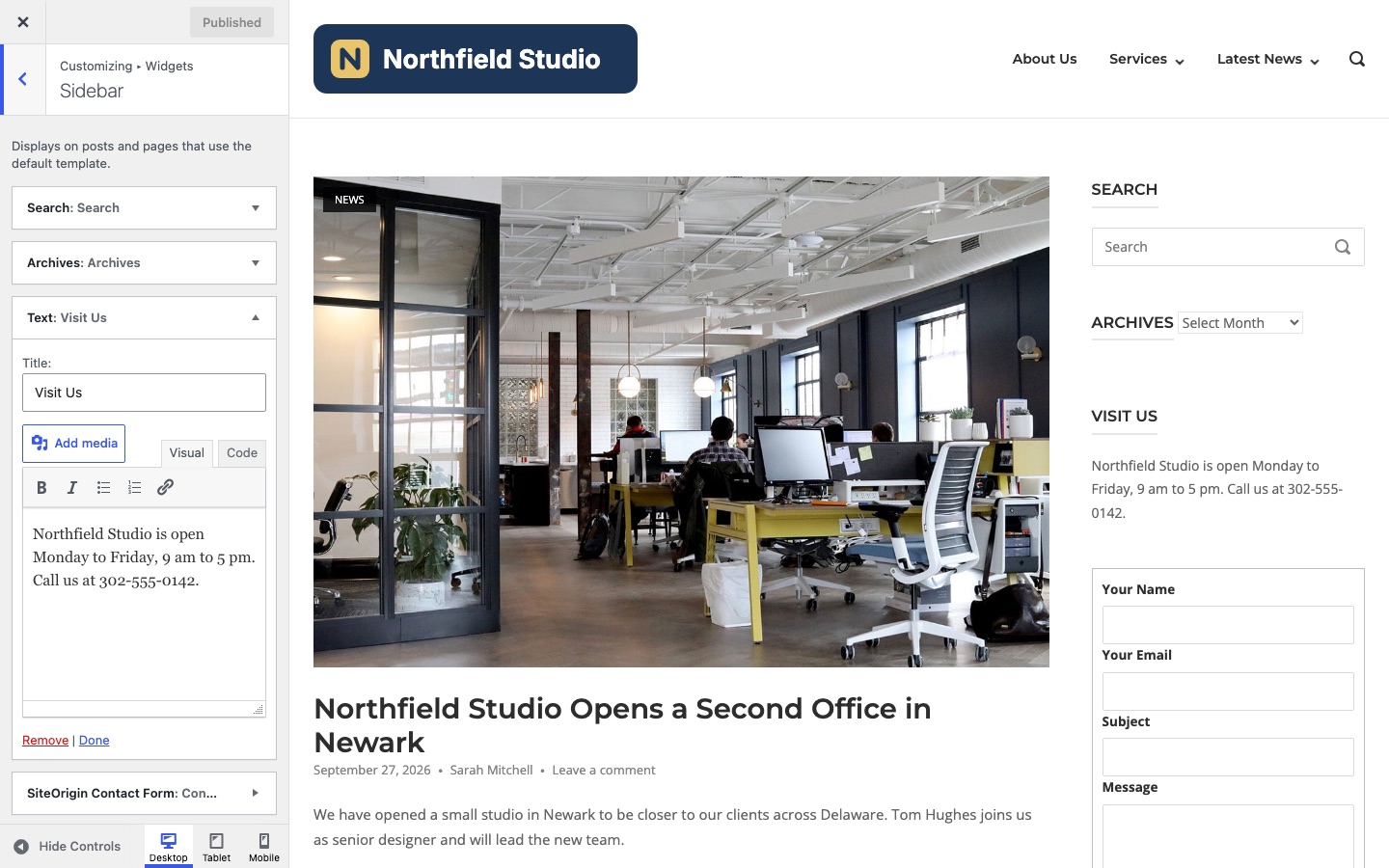
- Go to AppearanceCustomizeWidgets, which shows when the theme has widget areas. Open a widget area.
- Click Add a Widget and choose Text. On the block-based screen, click Add a block and choose Paragraph.
- Type and format your text. The Text widget has a Visual tab.
- Click Publish.
Block Themes
A block theme normally has no widget areas. Add the text to a template or template part.
- Go to AppearanceEditorTemplates and open a template.
- Click the block inserter and add a Paragraph block where you want the text.
- Type and format your text, then click Save.