SwiftGrid Pro can hold edits from your AI assistant, and from Edit with AI, until a store manager approves them. A held edit waits on the Pending tab in History and changes nothing until someone approves it. An edit no one answers expires after 7 days.
Turn Approvals On or Off
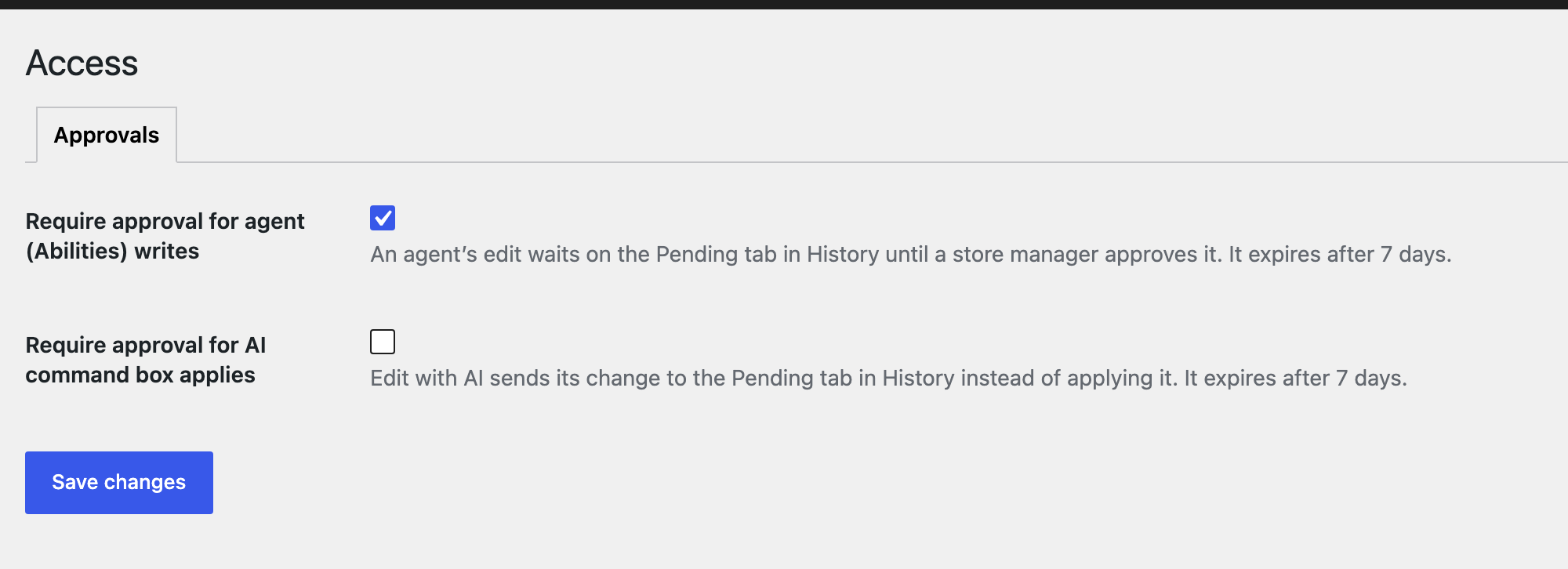
Go to SwiftGridAccess.
- Require approval for agent (Abilities) writes: holds every edit from an AI assistant connected through MCP. It’s on when you install SwiftGrid Pro.
- Require approval for AI command box applies: holds every Edit with AI change instead of applying it. It’s off when you install SwiftGrid Pro.
Click Save changes. Only users who can manage WooCommerce can change these settings.
Approve or Reject an Edit
- Click the count below the grid, for example 0 changes recorded · 1 pending.
- Open the Pending tab.
- Click Details to compare each product’s value Now with the value the edit Asked for.
- Click Approve to apply the edit, or Reject to drop it.
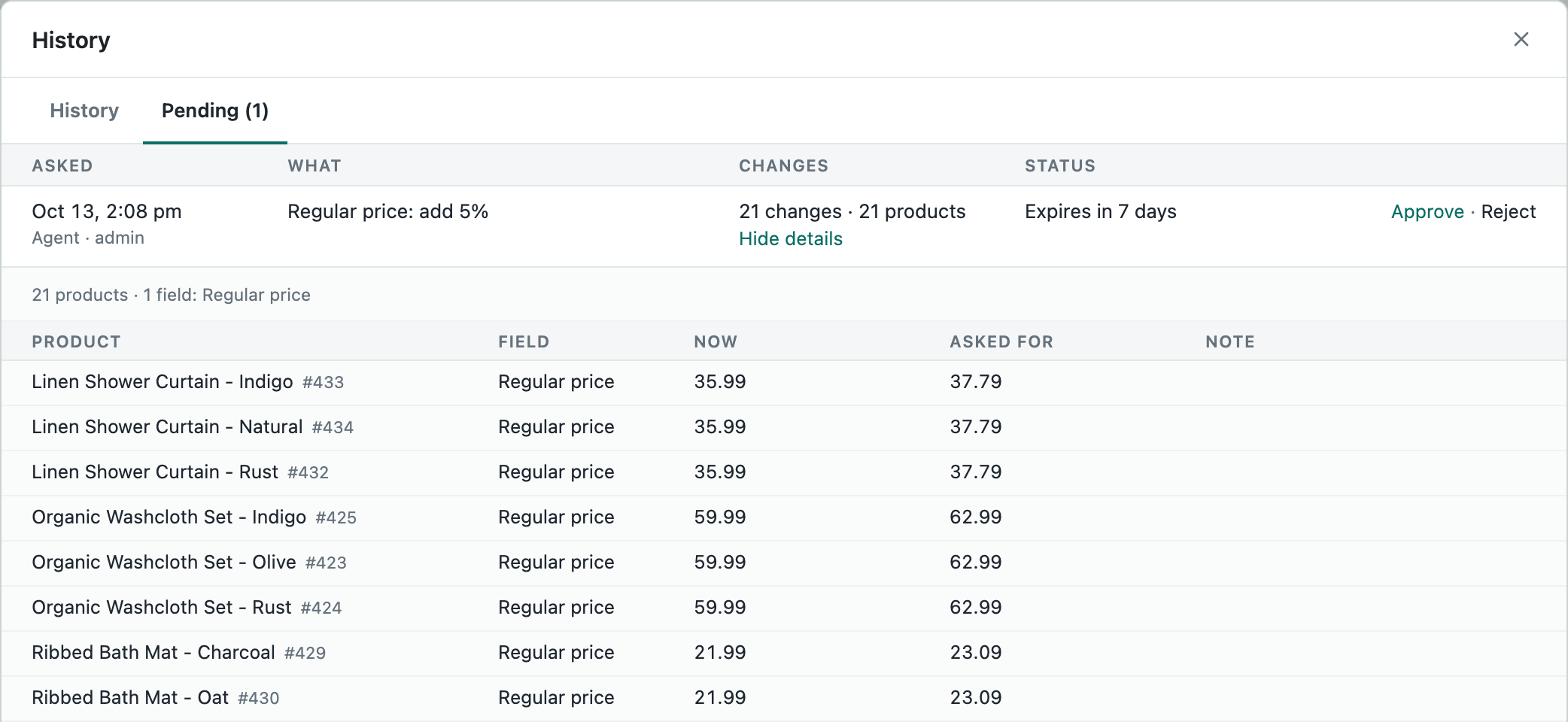
An approved edit moves to the History tab, where you can roll it back like any other change. See Change History and Rollback.
Related
Was this helpful?