Ultra has 4 menu locations: 2 regular menus and 2 social icon menus. Create a menu in AppearanceMenus and assign it to a location on the Manage Locations tab. If you are new to menus, read Menus first.
Regular Menus
Primary Menu
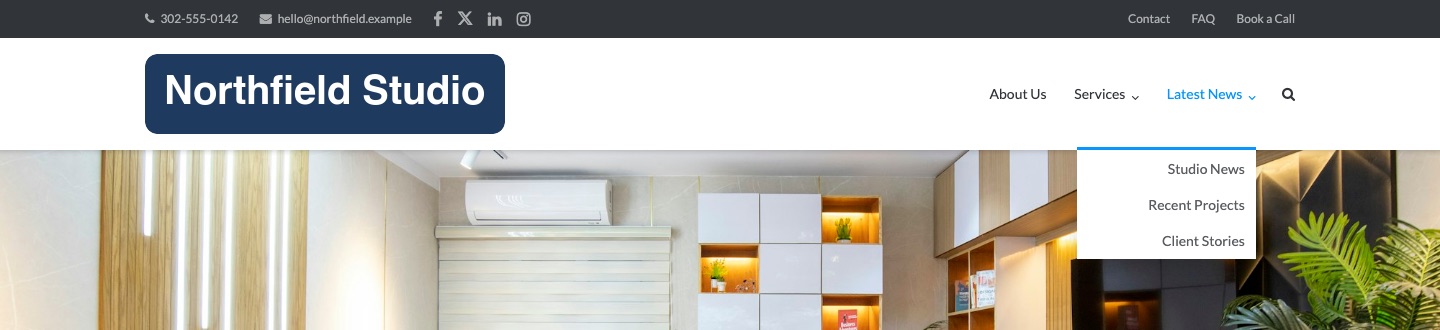
The Primary Menu sits to the right of the logo in the header. It supports drop-down menus. Turn it off with AppearanceCustomizeTheme SettingsNavigationPrimary Menu. Default: on.

The search icon at the end of the menu is the Menu Search setting in the same section. Default: on.
Top Bar Menu
The Top Bar Menu sits on the right side of the top bar, above the header. It supports drop-down menus. It needs 2 settings on: Top Bar in Theme Settings > Header and Top Bar Menu in Theme Settings > Navigation. Both are on by default.
Open a Drop-Down Toward the Left
A drop-down opens toward the right edge of the screen. Near the right end of a menu, it can run off the screen. Add the class left to the top-level parent item to open it, and its deeper levels, toward the left instead.
- Go to AppearanceMenus.
- Click Screen Options at the top right. Under Show advanced menu properties, turn on CSS Classes.
- Open the top-level menu item that holds the drop-down.
- Enter
leftin CSS Classes (optional). - Click Save Menu.
The class works in the Primary Menu and the Top Bar Menu.
Social Icon Menus
A social icon menu shows an icon for each link to a social network. Add each network as a Custom Link. For the full steps and the list of networks, see Social Icons Menu.
Top Bar Social Menu
The Top Bar Social Menu sits on the left of the top bar, after the phone number and email address. It shows top-level items only. Set the phone number and email address in Site Text.
Bottom Bar Social Menu
The Bottom Bar Social Menu sits on the right of the bottom bar, below the footer widgets. It shows top-level items only. The bottom bar shows when the copyright text has content, or the privacy policy link or the attribution link is on, in Footer. The copyright text and the attribution link are on by default.

Icons in Any Menu
Icons are not tied to the social locations. In any Ultra menu location, a top-level link to a supported network shows as an icon when the item has no sub-menu. You can also use regular links in the social locations, and the menu shows them as text.