Ultra shows a breadcrumb trail in the title area of a page. Turn on the built-in trail with the Breadcrumb Trail setting in AppearanceCustomizeTheme SettingsNavigation. Default: off. Yoast SEO and Breadcrumb NavXT also work.
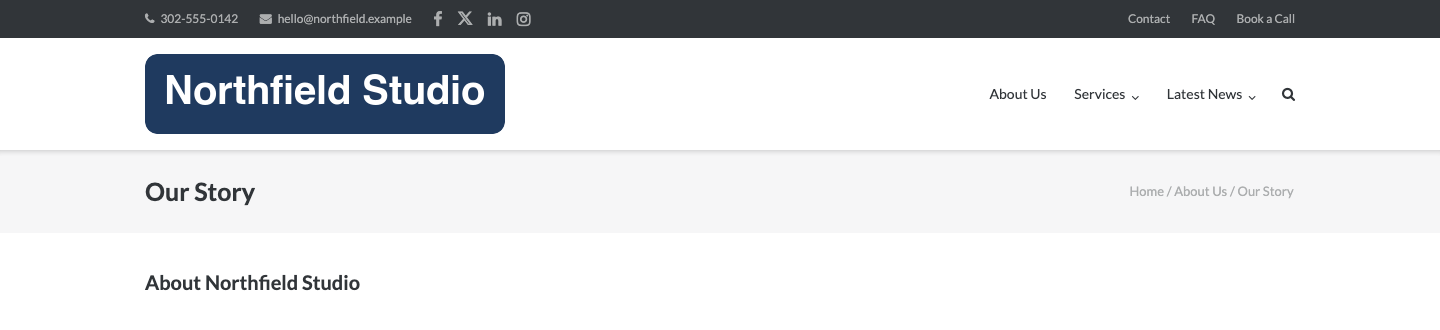
Built-In Trail
Turn on Breadcrumb Trail. The trail separates items with a slash. It does not show on the front page.
Yoast SEO
Turn Breadcrumb Trail off. Then turn on the breadcrumbs in Yoast SEO. Follow the Yoast breadcrumbs guide. Ultra prints the trail.
Breadcrumb NavXT
Turn Breadcrumb Trail off. Install and activate Breadcrumb NavXT. Ultra prints its trail.
Where the Trail Shows
The trail sits next to the page title. It shows on pages, posts, the blog page, archives and the 404 page. It also shows on search results that have matches. It does not show where the title is hidden. These templates hide the title: Default – No Title, Full Width – No Title and Page Builder Home. A page with Page Title off in the Page settings box hides it too.
Breadcrumb Styling
Settings marked Premium need Ultra Premium. Find these in AppearanceCustomizeTheme DesignContent Header. They style the trail: Breadcrumb Font, Breadcrumb Font Size (px), Breadcrumb Text Color, Breadcrumb Link Color and Breadcrumb Link Hover Color.