Use Colors to change the colors of the theme. To change one color only, use the accent color. It needs Puro Premium. Go to AppearanceCustomizeTheme DesignColors.
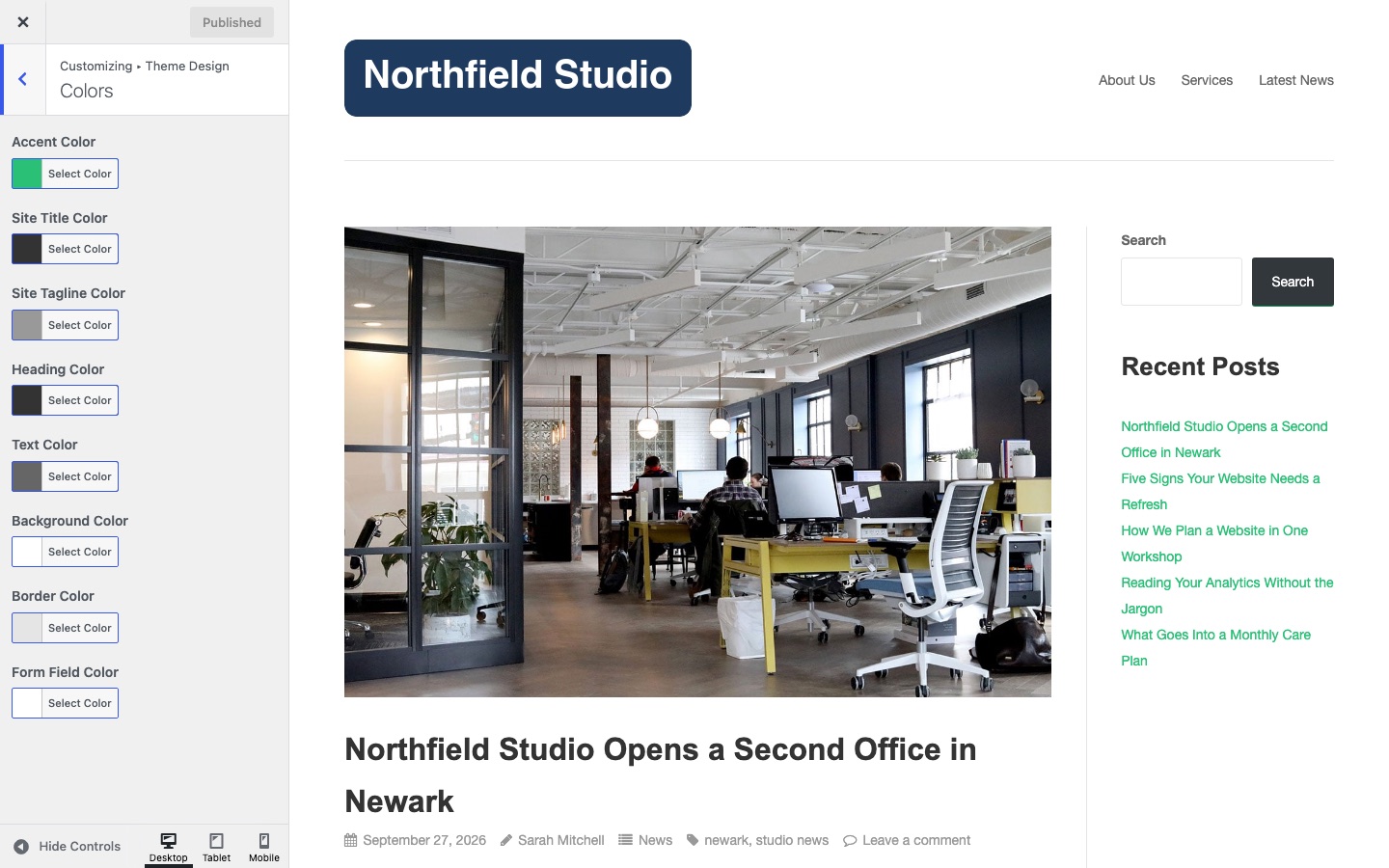
Accent Color
The main color of the theme. Default: #2ac176. Puro uses it for links, buttons, blockquote borders, pagination and the text selection color.
Site Title Color
The color of the site title. Default: #333333. The site title shows only when no logo is set. It also colors the mobile menu button.
Site Tagline Color
The color of the site tagline. Default: #999999. The tagline is off by default. To show it, turn on Display Tagline in Theme Settings > Header.
Heading Color
The color of h1 to h6 headings in the content area. Default: #333333. Footer headings use it too, except h2. It also colors post titles and widget title links.
Text Color
The color of body text. Default: #666666. Puro uses a lighter shade of this color for post meta, comment meta and footer text.
Background Color
The background color of the page. Default: #ffffff.
Border Color
The color of borders, tables, horizontal rules and form fields. Default: #e5e5e5. A form field border turns darker when the field has focus.
Form Field Color
The background color of form fields. Default: #ffffff.