Use Menu to change the colors, font and size of the main menu. It needs Puro Premium. Go to AppearanceCustomizeTheme DesignMenu.
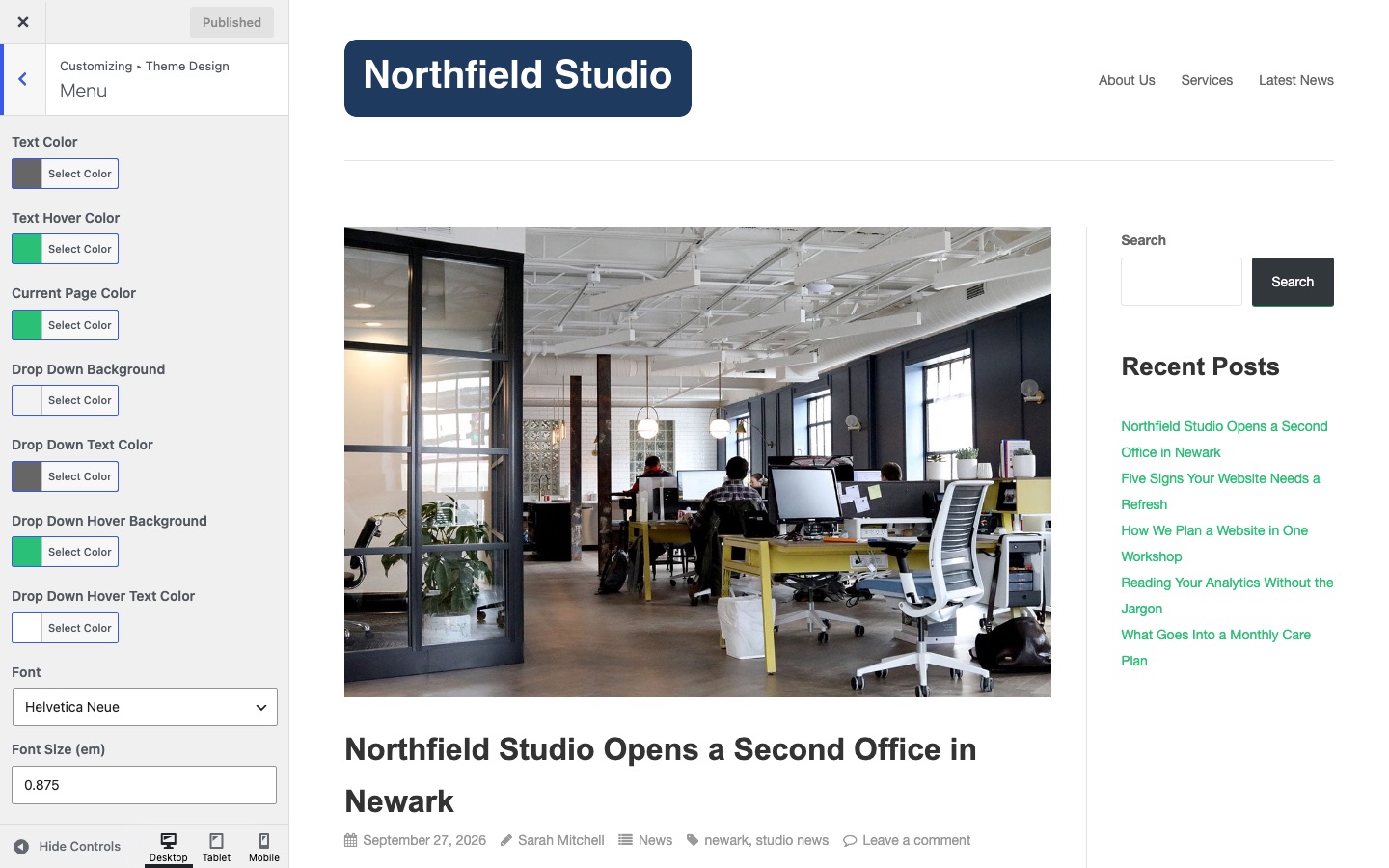
Text Color
The color of menu items. Default: #666666.
Text Hover Color
The color of a menu item when the pointer is over it. Default: #2ac176.
Current Page Color
The color of the menu item for the page you are on. Default: #2ac176.
Drop Down Background
The background color of drop-down menu items. Default: #f2f2f2. The mobile menu uses this color too.
Drop Down Text Color
The text color of drop-down menu items. Default: #666666. The mobile menu uses this color too.
Drop Down Hover Background
The background of a drop-down item when the pointer is over it. Default: #2ac176. The mobile menu uses this color too.
Drop Down Hover Text Color
The text color of a drop-down item when the pointer is over it. Default: #ffffff. The mobile menu uses this color too.
Font
The font of menu items. Default: Helvetica Neue.
Font Size (em)
The size of menu items, in ems. Default: 0.875.